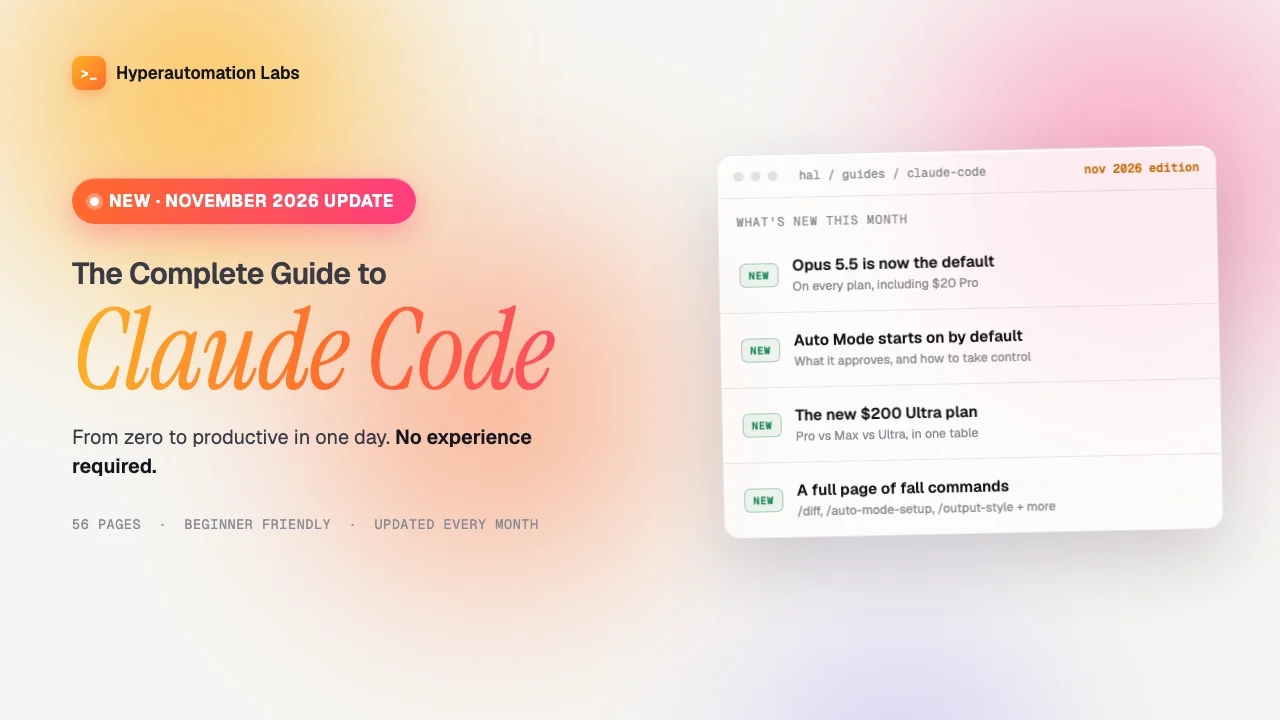
The Complete Guide to Claude Code
Build real tools with Claude Code, no coding experience needed
Go from beginner to productive with Claude Code in one day, even if you've never written a line of code.
$14.97
- 56 pages
- PDF
- Beginner level
- Last updated November 2026
- Updated monthly
What's inside
56 pages. Here is what they cover.
Getting started
- What Claude Code is and how it's different from ChatGPT
- Step-by-step installation and setup: CLI, Desktop App, Web App, or IDE
- A prompt formula for clearer requests
- Every slash command and keyboard shortcut, explained
Working in your project
- How to read, create, and edit files in plain English
- Git: commits, branches, and PRs without memorizing commands
- Setting up CLAUDE.md so Claude understands your project
- VS Code and JetBrains integration
- The Desktop App: file browser, live preview, and drag-and-drop layout
Connecting your tools
- MCP servers: connecting Claude to GitHub, Slack, databases, and more
- First-party Gmail, Google Calendar, Google Drive, and Slack integrations, with no setup and no API keys
Automation and modes
- Hooks: automate formatting, testing, and safety rules
- Auto Mode: Claude handles permissions for you
- Routines: scheduled tasks that run even when your computer is off
- Plan Mode: design before you build, with an explicit approval gate
- Auto-Memory: Claude remembers you across conversations
Workflows and reference
- 13 real-world workflows, including debugging, building features, code review, MVPs, monitoring, parallel sessions, scheduled reports, cloud PR review, multi-agent Workflows, and background subagents
- Cost management tips
- 9 common mistakes beginners make, and how to avoid them
- A cheat sheet and 10 bonus prompts
Who it's for
Complete beginners
You want AI to help you learn and build.
Developers
You want to get more done with Claude Code.
Non-technical founders
You are building an MVP without hiring a team.
Students
You are learning to code.
What you'll be able to do after
- Install and set up Claude Code in the CLI, the Desktop App, the Web App, or your IDE
- Read, create, and edit files by asking in plain English
- Make commits, branches, and PRs without memorizing Git commands
- Write a CLAUDE.md so Claude understands your project
- Connect Claude to GitHub, Slack, and databases with MCP servers
- Automate formatting, testing, and safety rules with hooks
- Schedule tasks with Routines
- Plan a change in Plan Mode before you build it
- Follow 13 workflows, including debugging, code review, and building an MVP
Hyperautomation Labs in numbers
- 128Buyers of this guide
- 996Total Gumroad sales
- ~25KYouTube subscribers
- ~95KFacebook followers
- ~4KInstagram followers
Hyperautomation Labs also sends the Hyperautomation AI Report newsletter.
FAQ
What format is it?
It is a PDF, 56 pages long. You buy it through Gumroad.
Is it for beginners?
Yes. The level is Beginner. It starts with what Claude Code is and how to install it, and it is written for people who have never written code.
Is it kept up to date?
Yes. It is updated monthly with new features. The current edition is November 2026.
Can I get a refund?
No. Gumroad lists this guide as "No refunds allowed". Read the "What's inside" list on this page before you buy.